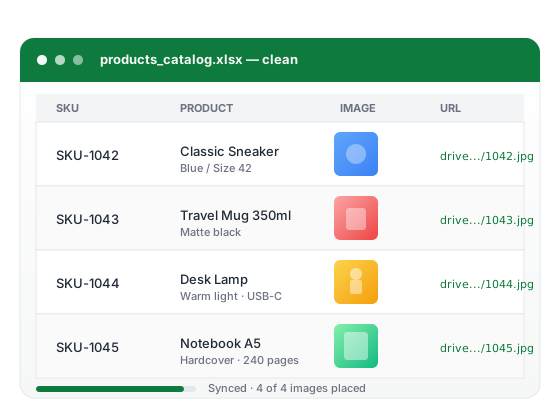
Built for product catalog work
A focused toolkit for the parts of catalog management that spreadsheets handle poorly on their own. Each feature solves a specific friction point — no bloated suite, no learning curve.

Fix floating images
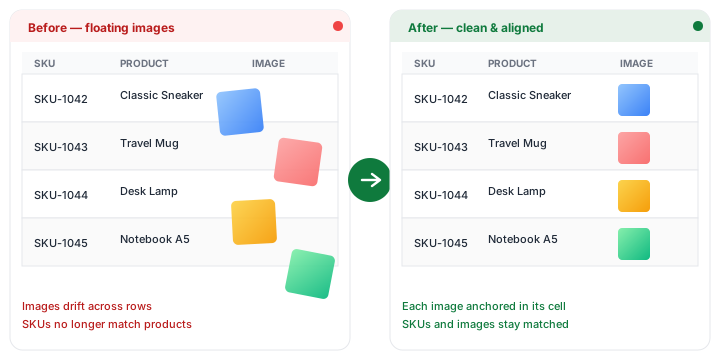
When you import a spreadsheet from Excel or copy content between sheets, images often end up floating over cells instead of anchored inside them. They drift when you filter, sort, or send the file to a colleague — and product images quickly become mismatched with the wrong SKUs.
ProductImageSync scans your Google Sheet, detects floating images, and prepares them for structured placement so your catalog stays accurate.
Detects: over-cell images, off-grid positioning, drift after sort/filter

Insert images into cells
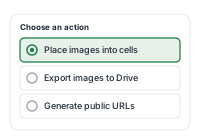
Place product images directly into the right cells, anchored next to the correct SKU. Once images live inside cells, your spreadsheet finally behaves the way you expect: filtering, sorting, copying, and sharing all keep visuals matched to the right product.
Anchored images also make spreadsheets easier to review, hand off to vendors, and import into other tools.
Result: filter-safe, sort-safe, copy-safe product catalogs

Export images to Google Drive
Save the images from your spreadsheet into your own Google Drive. ProductImageSync automatically creates or reuses a folder named “ProductImageSync Images” and places the exported files there.
Processing runs on a private Google Cloud worker, and operational job records are temporary. Image files are not retained by ProductImageSync after a job completes.
Storage: your Google Drive · Folder: ProductImageSync Images (created automatically)

Rename images by SKU
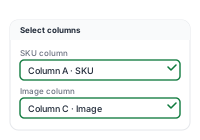
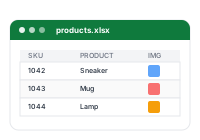
Use SKUs, article numbers, model codes, or any column from your sheet to name exported image files automatically. Predictable filenames make it easy to map images back to products, share them with vendors, or import them into downstream systems.
No more IMG_3924.jpg. Just SKU-1042.jpg.
Naming: {SKU}.jpg · {SKU}-{variant}.jpg · or any custom pattern

Generate public image URLs
Create image URLs for product-import workflows in CRM, ERP, PIM, CMS, marketplaces, and online stores. Many of these imports need public image URLs rather than embedded images. ProductImageSync generates a public link for every exported file and writes it back into your sheet next to the matching SKU.
Files created by ProductImageSync are shared as “anyone with the link can view” when needed for in-cell images and direct image URLs. Do not use confidential images.
Ready for: Shopify · WooCommerce · HubSpot · Salesforce · Pipedrive · Odoo · Akeneo · marketplaces


Process catalogs in bulk
Handle large product sheets in one pass. ProductImageSync is built to work on hundreds of rows at a time so you can skip the slow loop of saving, renaming, and uploading every image by hand.
During the early launch, ProductImageSync processes up to 500 floating images per run. Limits and pricing may change as the product evolves.
Current limit: up to 500 floating images per run during early launch