
Fix floating images
Detect product images that float over cells and prepare them for structured catalog use.

ProductImageSync helps product teams clean up spreadsheets with floating images, place images into the correct cells, export them to Google Drive, rename files by SKU, and generate public image URLs for CRM, ERP, CMS, and online store imports.
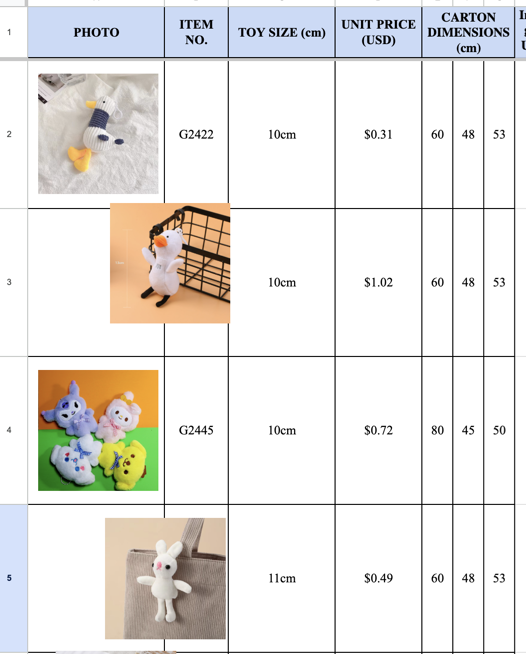
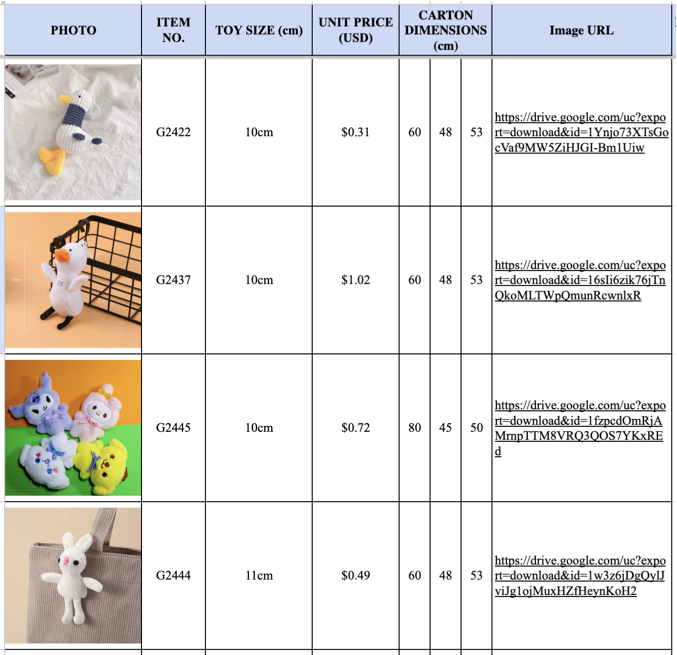
If you build catalogs in Google Sheets, you have probably lost hours to images that drift, mismatch SKUs, and refuse to copy cleanly. You are not alone.
Floating images can move out of place. Filtering or sorting a sheet often leaves images behind, attached to the wrong row.
Product images may mismatch SKUs. A shifted image can lead a buyer or customer to pick the wrong product.
Manual cleanup takes hours. Inserting hundreds of images into cells by hand is slow and error-prone.
Many CRM and ERP imports need image URLs. These platforms often accept only public links, not embedded images.
Copying product catalogs breaks image alignment. Moving data between sheets or importing from Excel scatters the visuals.
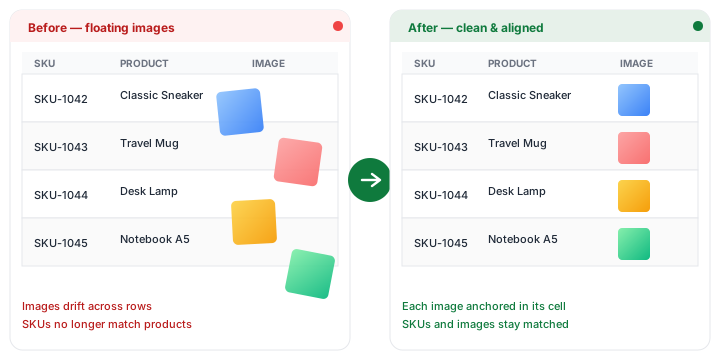
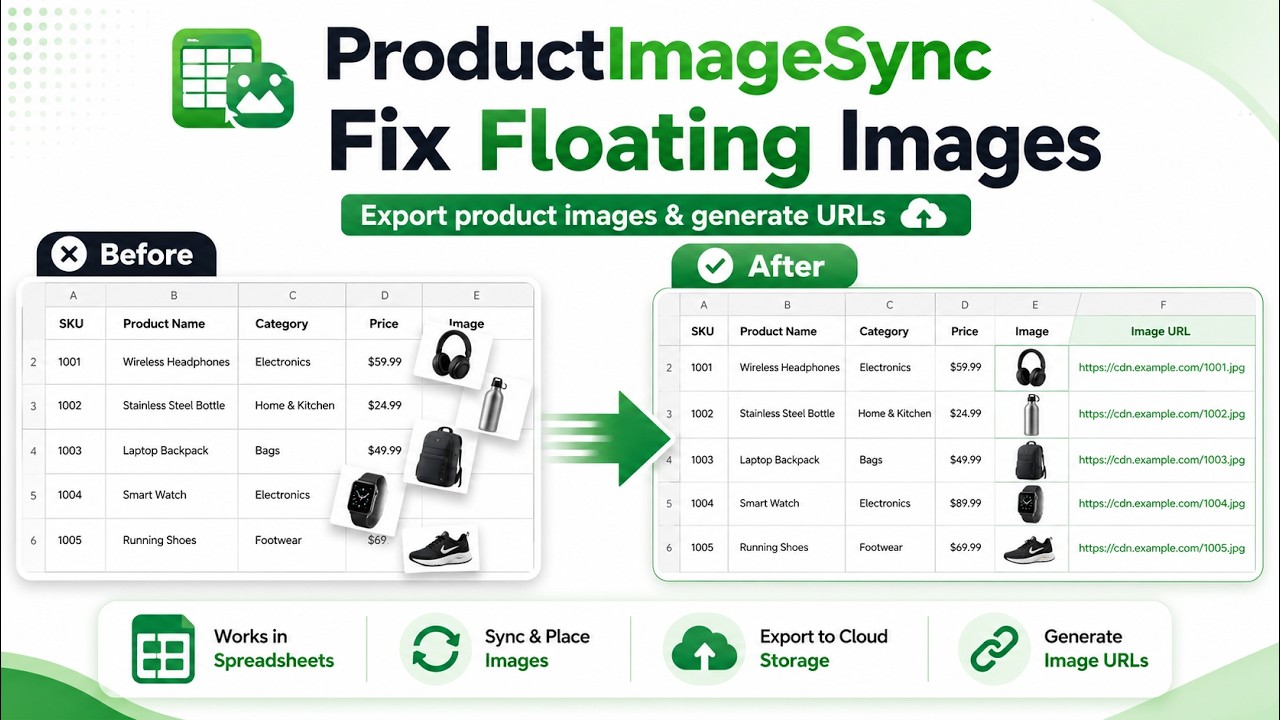
ProductImageSync gives you a focused workflow for product image cleanup in Google Sheets. Fix floating images, place them into cells, export them to Google Drive, rename them by SKU, and generate public image links for the systems your business already uses.
Watch how ProductImageSync fixes floating product images, exports them to Google Drive, and generates image URLs for product catalog workflows.
Start with a Google Sheet that contains product data, SKUs, and images — including imports from Excel.
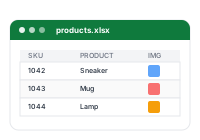
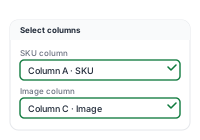
Tell the add-on where your product images and identifiers are located. No formulas to write.
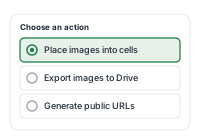
Place images into cells, export them to Google Drive, and generate public URLs — pick one or all three.
Filter, sort, share, import, copy, or upload your product data to the systems you already use.

A focused toolkit for the parts of catalog management that spreadsheets handle poorly on their own.
Detect product images that float over cells and prepare them for structured catalog use.

Place product images into the right cells so spreadsheets are easier to filter, sort, and share.

Save product images to a Drive folder named “ProductImageSync Images” that ProductImageSync creates or reuses automatically.

Use SKUs, article numbers, or identifiers from your sheet to name exported image files.

Create public image links for CRM, ERP, CMS, PIM, and online store imports.

Handle large product sheets without manually saving and renaming every image.
Prepare image URLs for online stores, CMS platforms, marketplaces, and product import templates.
Clean up supplier price lists and keep product images matched with SKUs, names, and prices.
Generate public image URLs required for product import workflows in enterprise systems.
Combine product catalogs from several suppliers with fewer image-related errors.
Help product and operations teams reduce repetitive manual work with images.
Read detailed walkthroughs for each scenario and decide if ProductImageSync fits your team.
View all use cases →ProductImageSync uses access only for the actions you run inside your spreadsheet. Images are exported to your Google Drive and public links are created only as part of the workflow you choose.
ProductImageSync is currently free during the early launch period. Limits and pricing may change as the product evolves.
For early users who need to clean up product spreadsheets and generate image URLs.
No credit card required. Pricing may change as the product evolves.
ProductImageSync is a Google Sheets add-on that helps you fix floating product images, insert images into cells, export images to Google Drive, and generate public image URLs for downstream systems.
It is designed for teams working with product catalogs, wholesale price lists, supplier files, e-commerce uploads, CRM imports, ERP imports, and any SKU-based product data.
ProductImageSync works inside Google Sheets. If you import an Excel product catalog into Google Sheets and the images become difficult to manage, the add-on can help clean up the image workflow.
Exported image files are saved in your own Google Drive, in a folder named “ProductImageSync Images” that the add-on creates or reuses automatically. Processing runs on a Google Cloud worker, and image files are not retained by ProductImageSync after a job completes.
Yes. ProductImageSync can generate public image URLs so they can be used in CRM, ERP, CMS, online store, and product import workflows. Public access is created only when you choose to generate links.
During the early launch period, ProductImageSync is free with a limit of up to 500 floating images per run. Limits and pricing may change as the product evolves.
ProductImageSync uses access only for the actions required by the workflow you run. Product data is not sold or used for advertising. More details are available in the Privacy Policy and Security pages.